Showing posts with label Business. Show all posts

Friday, November 14, 2014

November 14, 2014

Smart Office 2 [v2.3.6 Apk]

Smart Office 2 [v2.3.6 Apk]

Smart Office 2 [v2.3.6 Apk]

About:
View, edit, create, print, and share documents on all your mobile devices.
SmartOffice lets you access Microsoft Office and other documents from anywhere. SmartOffice includes simple tools to create from templates, make changes, share via email in original or PDF format, print new versions, or sync to the cloud.


View: SmartOffice accurately displays MS Office files PLUS Adobe PDF, plain text (.txt) and Images
  • Fast loading for all MS Office file types, PLUS Adobe PDF, plain text and Images
  • Full support for multi-touch gestures
  • Screen display adapts to fit your tablet or smartphone
  • Visual Explorer � thumbnail and timeline views make it easy to find your recent documents
  • Reflow pages to fit screen, or see full page layouts
  • Document Info view shows all file details
  • "N-up" feature dynamically displays multiple pages of a document � navigate easily to any page with
    scrolling
  • Zoom in to the smallest detail in your document � Artifex's rendering engine allows crystal clear viewing
  • Use slide show view for presentations
  • 3D document viewing � put on your glasses and see your renderings in 3D

Create: Use FREE preloaded templates
  • Create new MS Office docs from a blank template, or use FREE preloaded optional templates
  • Save in original document formats to maintain compatibility and editing capability, or save to PDF

Edit: Easily edit text or change styles with intuitive editing and formatting tools
  • Edit MS Office documents � Word (.doc, .docx), Excel (.xls, .xlsx), PowerPoint (.ppt, .pptx)
  • Choose fonts, colors, formatting � embed shapes and images
  • Cut and paste to in-app clipboard
  • Undo function to recover mistakes
  • Keyword search and hypertext links
  • Easy, precise cursor placement
  • PowerPoint slide sorter


Print: Print directly from SmartOffice
  • Print directly from the app to thousands of supported wireless printers
  • Export to PDF


Share: Share documents via email or sync to the cloud
  • Send email directly from within SmartOffice using your device's email client
  • Cloud storage compatibility � connect directly to DropBox, Box, Google Drive


File and Print Formats:
  • Microsoft Office: all versions since 1997:
    Word, PowerPoint and Excel 97, 2000, XP, 2003, 2007, 2010, doc, docx, xls, xlsx, ppt, pptx
    (viewing and editing);
  • Adobe Acrobat PDF Viewer, PDF Reader, Save as PDF;
  • JPEG, PNG, GIF, BMP images; Vector WMF and EMF diagrams; plain text (viewing);
  • Print to selected wireless printers supporting HP PCL3GUI, PCL6, PCL5, Epson ESC/P-R, Samsung SPL.


Languages:

Application localized for: Chinese (Simplified), Chinese (Traditional), Japanese, French, German, Italian, Korean, Polish, Portuguese, Russian, Spanish and Turkish.

View documents in the following languages: Chinese (Simplified), Chinese (Traditional), Czech, Danish, Dutch, Finnish, French, German, Greek, Indonesian, Italian, Japanese, Korean, Norwegian, Polish, Portuguese, Russian, Slovak, Spanish Swedish, Turkish and Ukrainian.

Screenshots:
Smart Office 2 [v2.3.6 Apk]

Smart Office 2 [v2.3.6 Apk]

What;s in Added New:
 Many thanks for all the feedback on the forums. We've fixed lots of bugs, but if you see any then please let us know by on http://smartoffice-forum.artifex.com
Changes since version 2.1.27 include:
  • Android L support
  • Wingdings/Symbols improvements
  • Many chart improvements
  • Fix for missing asian chars on some devices
  • Many fixes for minor layout issues in Office files
  • Fixes for several cases where 'Save As' could fail
  • Several fixes for PDF annotations
  • Support for JBIG2 image in PDF
Information:
  1. Android O/S: 2.2+
  2. Updated: 13 November 2014
  3. File Size: 30M
  4. Developer: Artifex Software Inc.
  5. Genre: Business

MORE DETAIL: GOOGLE PLAY

Sunday, September 7, 2014

September 07, 2014

TurboScan: document scanner [v1.2.2 Android Apk Download]


TurboScan: document scanner [v1.2.2 Android Apk Download]


About:
The popular scanner app from Piksoft is now on Android! Low introductory price! TurboScan turns your phone into a multipage scanner for documents, receipts, notes, whiteboards, and other text. With TurboScan, you can quickly scan your documents and store or email them as multipage PDF or JPEG files.

#1 US business app in iTunes Store for 2 years!
 
"Unbelievably sharp. The best app I�ve tried... The scan accuracy of SureScan mode is brilliant" (AppBank review, April 2010)

"I�ve downloaded and purchased many fantastic apps, but Turboscan is the tool that has added the most value to my iPhone" (iosLawyer.com, Dec 2012)

"Produces not a photograph of a document, but a very clear copier quality image, Having this app is like having a portable copier in your pocket" (TurboScan user)

TurboScan uses advanced fast algorithms to auto-detect document edges, straighten the documents (correct perspective), eliminate shadows and set a perfect contrast.

TurboScan boasts a powerful yet easy to use interface. Get instant one-tap brightness, rotation and color controls all on one screen!

TurboScan also offers SureScan, our proprietary scanning mode for sharper scans (especially useful in low-light conditions.) SureScan requires taking three pictures of the same document with the phone camera.

TurboScan's handy "Email to myself" feature lets you send documents to a predefined address, or even upload them to online storage sites like Evernote, with a single tap.

All processing happens on your phone, and the confidentiality of your data is never compromised (no Internet connection needed.)

TURBOSCAN FEATURES: 
  • Automatic document edge detection and perspective correction
  • SureScan mode for very sharp scans
  • Ultra-fast processing (under 2 seconds per page)
  • Document naming, storage inside the app and search
  • Multipage editing: add, reorder, and delete pages
  • Copy pages between stored scans
  • �Email to myself� feature for quick emails
  • Email document as PDF, JPEG or PNG, or save to camera roll
  • Arrange multiple receipts or business cards on a PDF page
  • Open PDFs or JPEGs in other apps like the free Dropbox app (or Evernote, SkyDrive, GoogleDrive app, etc) to send to clouds, or fax apps
  • Printing via Cloud Print or other print apps
  • Instant one-tap brightness, rotation, and color controls
  • Compact attachments with adjustable size

*NOTE* if your flash over-saturates images or makes them blurry, please change the flash option in app Settings

TIPS ON SCANNING: 
  • Make sure your document is flat and well lit.
  • Use flash in low light conditions, but avoid glare with glossy documents (magazines, etc.)

What in added new:
  • Fixed crashes on Note 10.1
  • Added the �Sortable date format� option for PDFs and JPEGs
  • Added social network buttons in About screen
  • Other fixes & UI improvements

Information:
  1. Android required O/S: 3.0+
  2. Updated: 6 September 2014
  3. File Size: 5 MB
  4. Developer: Picksoft
  5. Genre: Business


MORE DETAIL: GOOGLE PLAY

Tuesday, August 19, 2014

August 19, 2014

OfficeSuite 7 Premium (PDF&Fonts) v7.5.2087 Apk

OfficeSuite 7 Premium (PDF&Fonts) v7.5.2087 Apk

OfficeSuite 7 Premium (PDF&Fonts) v7.5.2087 Apk Full Download For Android


ABOUT:
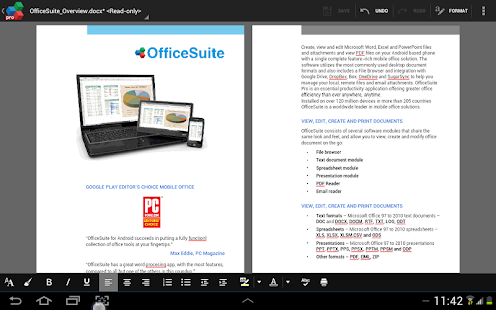
MOBI SYSTEMS PDF: OfficeSuite Pro allows you to view, create, edit, print and share Microsoft Word, Excel and PowerPoint on the go. You can also open attachments and view PDF files on an Android-based tablet or solution with our feature-rich mobile office phone.
Take your office with you and stay productive wherever you go!
 
FEATURES: 
  • Ability to view, create and edit complex Microsoft Office and PDF files and attachments with a single complete feature-rich application.
  • Full compatibility with Microsoft formats DOC, DOCX, DOCM, , XLS, XLSX, XLSM, PPT, PPTX, PPS, PPSX, PPTM, PPSM and support of common formats as PDF, RTF, TXT, LOG, CSV, EML, ZIP; Open Office formats � ODT, ODS and ODP.
  • Intact document formatting and layout and ability to create advanced documents on the device.
  • Rich editing features for advanced document creation and touch-up on the device.
  • Easy file access to local, remote files and email attachment.
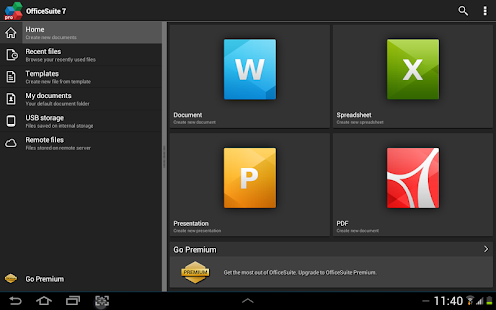
  • Integrated File Browser allowing you to access and manage your local and remote storage files; Quick access to Recent files, My documents folders and document templates.
  • Sharing via could, email, Bluetooth, Wi-Fi Direct.
  • Integration with various cloud services as Box, DropBox, Google Drive, OneDrive and SugarSync.
  • Spell checker, predictive text keyboard, PDF camera scanner, Microsoft compatibility Font Pack and many more features available as in-app upgrade to OfficeSuite Premium.
  • Available in 56 languages.Optimized for work with keyboards with support of multiple keyboard shortcuts and moving of objects and selections.

HOW OFFICESUITE PRO IS BETTER THAN OFFICESUITE FREE? 
  • Advertising free.
  • Standard Font Pack included for better visualization of your documents.
  • Open Office format support.
  • Format Painter in Word documents.
  • Security features - work with password protected files.
  • Camera picture insertion.
  • Save to PDF in Word, Excel and PowerPoint documents.
  • Insert Filter in Excel documents.
  • Insert Conditional Formatting in Excel documents.
  • Define Name.
  • Export picture from file (Save Picture) Excel.
  • Edit Charts in Excel files.
  • Save as CSV.Edit transitions in PowerPoint slideshows.

A number of manufacturers such as Sony, Amazon, ACER, Alcatel, Toshiba, Sharp, Barnes and Noble, Archos, Polaroid, ViewSonic, Kyocera and Kobo trusted MobiSystems and preloaded OfficeSuite worldwide.

Screen Shots:
OfficeSuite 7 Premium (PDF&Fonts) v7.5.2087 Apk - screenshot thumbnail

OfficeSuite 7 Premium (PDF&Fonts) v7.5.2087 Apk - screenshot thumbnail

What in added new: => Bug Fixes

Information:
  1. Android required O/S: 2.3 and UP
  2. Updated: 18 August 2014 - 8/18/14
  3. File Size: 32 MB
  4. Developer: Mobile Systems, Inc
  5. Genre: Business

MORE DETAIL: GOOGLE PLAY